
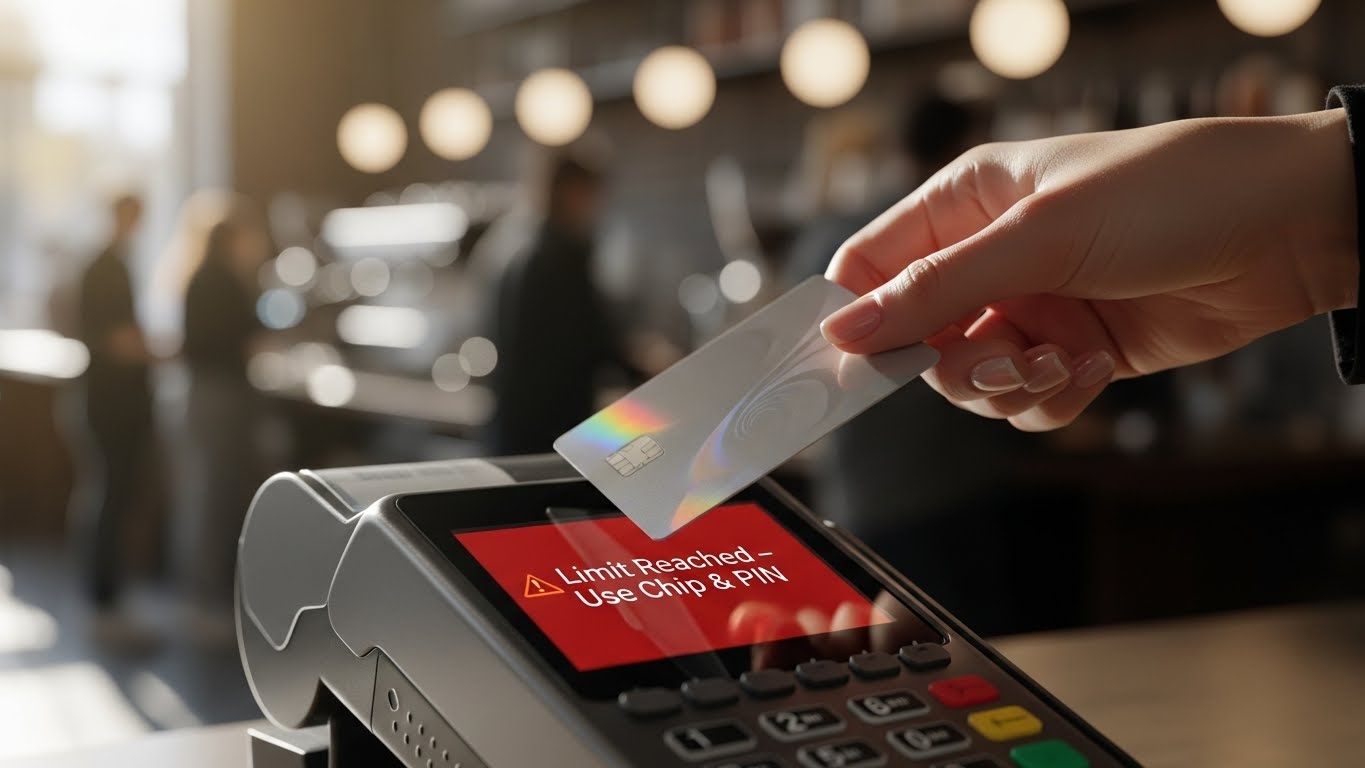
You’re at the grocery store, you tap your card as usual, but instead of a green “Approved” light, the screen flashes: “Limit Reached – Insert Card.” If this is happening to you more often lately, you aren’t alone. As of March 19, 2026, new financial regulations (PSD3 and updated FCA guidelines) have fundamentally changed how contactless payments work. The days of a fixed £100/€100 limit are over, replaced by a system that is smarter—but sometimes more confusing.
The mandatory £100 contactless limit was scrapped on March 19, 2026. Banks now use AI-driven dynamic limits to decide when you need to enter a PIN. If your card declines, it’s likely because you’ve hit a cumulative spend cap (usually £300) or made 5 consecutive taps. Simply inserting your card for a “Chip & PIN” transaction will reset your limit instantly.
1. What Changed on March 19, 2026?
Before this date, every bank followed the same rule: you couldn’t spend more than £100 in a single tap. Now, the power has shifted to the banks—and to you.
- Dynamic Spending Limits: Many banks now allow single taps of up to £500, but only if their AI deems the purchase “low risk.”
- The “Safety Check” Trigger: Because limits are higher, banks are more aggressive with “security snapshots.” If you buy something at a new location or at an unusual time, the system will trigger a PIN request even if the amount is small.
2. The Two Main Reasons for the “Declined” Message
A. The Cumulative Limit (£300 Cap)
Even if your individual purchases are small, banks track the total amount you’ve spent since the last time you used your PIN.
- The Rule: Most banks set this at £300.
- The Scenario: If you tap for £80 four times in one day (£320 total), the fourth or fifth attempt will be declined until you verify your identity with a PIN.
B. The “5-Tap” Security Rule
To prevent a lost card from being used indefinitely, most issuers require a physical PIN entry after 5 consecutive contactless transactions.
3. How to “Reset” Your Card and Fix the Error
If your contactless is declining but you know you have money in your account, follow these steps:
- The “Chip & PIN” Reset: This is the most effective fix. Insert your card into the reader and enter your PIN. This “proves” to the bank that the cardholder is in possession of the card, and it resets both the £300 cumulative cap and the 5-tap counter.
- Check Your Bank App: Open your banking app and look for “Card Settings.” Many banks now allow you to manually set your own contactless limit. If your app is set to a £50 limit and you try to spend £60, it will decline every time.
- Use Apple Pay or Google Pay: If you are in a rush, switch to your mobile wallet. Because these use Biometrics (FaceID or Fingerprint), they are considered “High Security” and are often exempt from the 5-tap and £300 limits.
4. Why Your Bank Might “Soft Decline” Your Tap
In 2026, banks use “Velocity Checks.” If the bank sees 3 taps in 3 different shops within 10 minutes, their AI assumes the card might have been stolen. They won’t block the card entirely, but they will “Soft Decline” the contactless feature to force you to use your PIN.
Don’t Panic! A Declined Card Doesn’t Mean You’re Out of Money

In 2026, when you tap your card and the screen flashes “Declined” or “Limit Reached,” the first thing you should do is take a deep breath and stay calm. There’s no need to feel embarrassed in front of the people behind you in line—more often than not, this has nothing to do with your bank balance.
In fact, when your card refuses a contactless “tap,” it’s often a sign that your bank’s security system is working hard to keep your money safe.
Why This is Actually “Good News” for Your Security:
- Fraud Protection: If someone steals your card, the system quickly detects unusual activity and demands a PIN to verify the true owner.
- Proactive Security Checks: Periodically requiring you to insert your card (Chip & PIN) ensures that both your card’s chip and your personal security codes remain uncompromised.
A Friend’s Tip: “Next time your tap doesn’t work, simply insert your card and enter your PIN. Think of it as a quick ‘check-in’ between you and your bank to ensure your hard-earned money stays exactly where it belongs—with you.”
2026 Bank-by-Bank Contactless Limit Guide
To help you shop with confidence, here is a breakdown of how major banks have updated their limits following the March 19, 2026 regulation changes:
| Bank Name | Single Tap Limit | Cumulative Spend Limit | How to Manage via App |
| Monzo | Up to £250 (User-defined) | £500 | Adjustable instantly under ‘Card Settings’ |
| Barclays | £100 (Standard) | £300 | Navigate to ‘Cards’ then select ‘Contactless Limit’ |
| HSBC | £100 | 5 Consecutive Taps | Request limit increases via In-App Chat Support |
| Starling Bank | Unlimited (Dynamic AI) | £300 | Features a ‘Reset Limit’ button within the app |
Conclusion: Take Control of Your Limits
The 2026 rules offer more freedom, but they require you to be more active in managing your card settings. If you find the PIN prompts annoying, check your bank’s mobile app to see if you can opt-in to “Advanced Contactless” or increase your daily spending thresholds.
Disclaimer: This article is for informational purposes only. FixMyCard.com is not a bank or financial institution. Regulations may vary by country and specific banking provider.
Sources: