
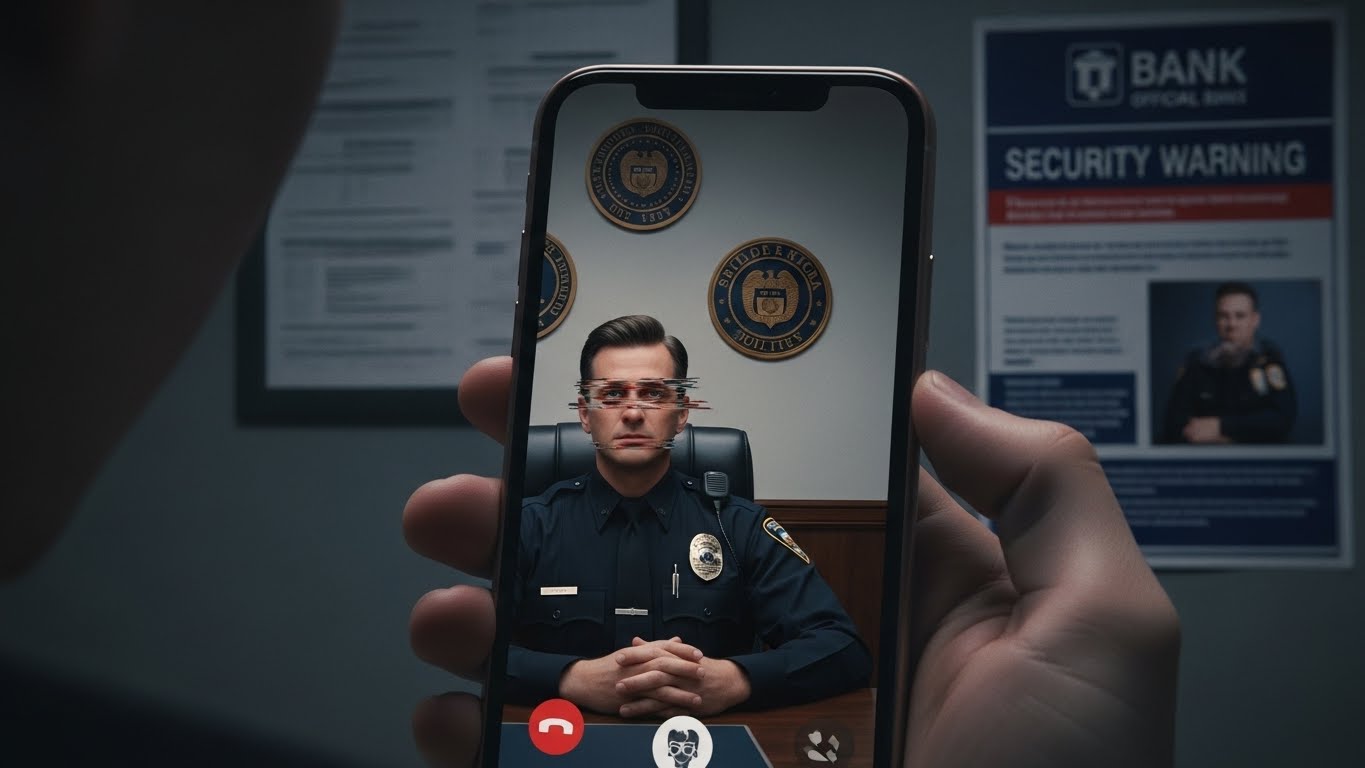
Imagine receiving a video call from a uniformed officer claiming your identity has been linked to a major money laundering or drug trafficking case. They show you a “warrant” with your name on it and tell you that you are under “digital arrest”—meaning you cannot hang up the phone or leave your house until you “verify” your funds.
As we enter 2026, this Digital Arrest Scam has become a global epidemic. At FixMyCard.com, we want to make one thing absolutely clear: No legitimate bank, police department, or government agency will ever conduct a criminal investigation or “arrest” you over a video call.
Common reasons why this scam works
Scammers in 2026 are no longer just using scripts; they are using psychological warfare and advanced technology to bypass your common sense.
- Deepfake Realism: Using AI, scammers can now superimpose the face of a real high-ranking official onto their own in real-time. They can even spoof the background to look like a real police station or a bank’s high-security vault.
- Psychological Isolation: The “officer” will tell you that the case is a matter of national security and that you are forbidden from speaking to your spouse, children, or a lawyer. This isolation is designed to keep you from getting a second opinion.
- Fear of the “Freeze”: They often claim that all your bank accounts are already “flagged” and the only way to save your money is to move it into a “Government Secure Account” for the duration of the investigation.
Technical causes: How they fake the call
The 2026 version of this scam uses several layers of technology to appear authentic:
- Caller ID Spoofing: They use software to make the call appear as if it is coming from a local police precinct or the bank’s actual fraud department number.
- AI Voice Cloning: By using just a 30-second clip of an official’s voice (often taken from a news clip), scammers can generate a perfect AI voice that responds to your questions in real-time.
- Forged Digital Documents: They will send you “official” PDFs via WhatsApp or Telegram that feature QR codes, government seals, and your actual ID number (obtained from past data breaches) to make the threat feel real.
What users can check themselves
If you find yourself on a suspicious video call, stay calm and perform these quick checks:
- Look for Glitches: Deepfakes often struggle with natural movements. Watch the caller’s eyes and mouth closely—do they blink naturally? Is there a slight “shimmer” or “blur” when they move their hand in front of their face?
- Ask for a Case Number: Ask for the official case number and the name of the officer’s supervisor. Then, hang up and call the official bank or police number found on their verified website—never use a number the caller gives you.
- Try to Screen Record: Scammers will often panic or end the call if they see you are recording the interaction.
- Check the Payment Request: If they ask you to move money via a “Government Safe Account,” “Escrow,” or “Security Wallet,” it is 100% a scam. Governments do not use e-wallets or personal bank transfers for investigations.
Frequently Asked Questions
Is “Digital Arrest” a real legal term? No. There is no such thing as a “virtual” or “digital” arrest in any legal system. An arrest requires a physical warrant presented by officers in person.
Why does the caller know my address and ID number? Scammers buy “victim profiles” from dark web data breaches. Having your personal info does NOT prove they are official; it just proves your data was leaked at some point.
Can the police see me through my camera? If you are on a video call (Zoom, WhatsApp, Skype), they can see what you show them. They may demand you show your room to prove you are alone. This is a tactic to increase your fear.
What if they threaten my family? This is a common escalation tactic. Real law enforcement does not use threats against family members to coerce a financial transfer.
How did they get my bank details? In 2026, many scammers use “Phishing” links sent via SMS a few days before the call to trick you into revealing which bank you use.
When to contact the bank
You should call your bank’s official fraud line immediately if:
- You have already moved money to a “safe” account provided by a caller.
- You shared your banking login or OTP (One-Time Password) during a video call.
- You installed a “security app” or “remote access” tool (like AnyDesk or TeamViewer) at the caller’s request.
Recommended Reading
- [AI Fraud Defense: How to Secure Your Cards Against “Agentic” Scams] Learn how autonomous AI bots are being used to target bank accounts in 2026.
- [Stop Swiping! Why You Should Use Chip or Tap Only in 2026] Physical security is your first line of defense. Learn why old-school “swiping” makes you an easier target for data theft.
- [New 2026 Biometric Rules: Why Your Card Might Need a “Face-to-Face” Check] Understand the difference between a legitimate bank facial scan and a scammer’s video call.
Mandatory Disclaimer This article is for informational purposes only. FixMyCard.com is not a bank or financial institution. For account-specific issues, please contact your bank or card issuer directly.
Sources: