
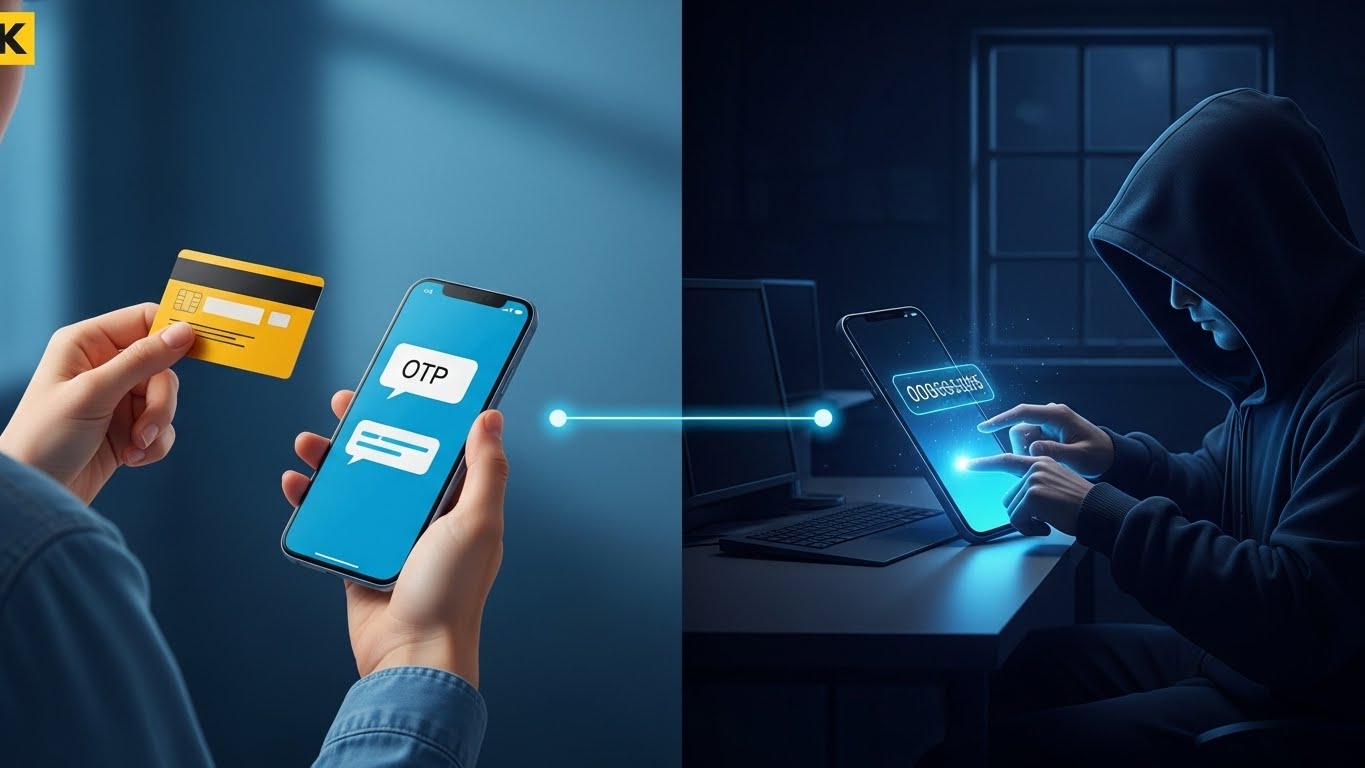
It is a terrifying moment: you receive a notification saying, “Your card was successfully added to Apple Pay,” but you haven’t touched your wallet. Even though your physical card is safely in your hand, a criminal hundreds of miles away is now using it to buy luxury goods or electronics.
In 2026, Digital Wallet Hijacking has become a preferred method for fraudsters because it bypasses many traditional security checks. At FixMyCard.com, we’re breaking down how this happens and the exact steps you need to take to lock your “digital” doors.
Common reasons why this scam happens
Scammers don’t “hack” the Apple or Google encryption; instead, they “hack” the human holding the phone. Here is how they get your card into their device:
- The Phishing Phase: First, you might receive a fake text about a “failed delivery” or a “utility bill.” You click the link and enter your card details on a site that looks 100% real.
- The “Tokenization” Trick: When the scammer enters your card into their phone, the bank sends you a verification code (OTP). This is the “Tokenization” process.
- Social Engineering: The scammer calls you, pretending to be from your bank’s “Fraud Department.” They tell you they are “stopping a theft” and need you to read back the code you just received. By giving them that code, you have just authorized the bank to put your card on the scammer’s phone.
Technical causes: Why it’s so hard to stop
Once a card is in a scammer’s digital wallet, it becomes very difficult for standard systems to catch the fraud.
- Biometric Bypass: When the scammer goes to a store, they use their own face or fingerprint to authorize the payment. The terminal only sees that a “secure biometric” was used; it doesn’t know it wasn’t yours.
- Replacement Persistence: A major vulnerability discovered in 2026 is that if a card is replaced, the digital “token” in a wallet often updates automatically. This means even if you cancel your physical card, the scammer might still be able to spend money until the bank manually kills the digital token.
- Lack of PIN: Most digital wallet transactions do not require a card PIN at the terminal, meaning the scammer can make large purchases instantly.
What users can check themselves
If you suspect your card is being used in a foreign wallet, check these settings immediately:
- Review Linked Devices: Open your bank’s mobile app. Most 2026 banking apps now have a section called “Manage Digital Wallets” or “Connected Devices.” If you see a phone model you don’t recognize (e.g., “iPhone 17” when you own a Samsung), delete it immediately.
- Analyze Your OTPs: Never ignore an OTP. If you receive a code that says “Code to add card to Apple/Google Pay” and you didn’t initiate it, do not share it.
- Enable Transaction Alerts: Turn on “Instant Push Notifications” for every single cent spent. If you see a “Tap” payment from a city you aren’t in, you can freeze the card in seconds.
Frequently Asked Questions
Can someone add my card just by standing near me? No. They need your full card number, CVV, and expiry date, plus the verification code sent to your phone.
Why did my bank allow them to add it? The bank allowed it because the “correct” verification code was entered. This is why you must never share codes over the phone.
If I delete the card from MY phone, does it delete from THEIRS? No. You must contact your bank and specifically ask them to “De-provision all digital tokens” for that card.
Are credit cards safer than debit cards for this? Yes. If a scammer hijacks your credit card, you are protected by “Zero Liability” laws. If they hijack your debit card, they are spending your actual rent and grocery money.
Does “Locking” my card in the app stop the digital wallet? In most cases, yes. However, some “recurring” subscriptions might still go through. It is always safer to report the card as “compromised.”
When to contact the bank
You must call your bank immediately if:
- You receive an OTP for a digital wallet setup you didn’t start.
- You see a “Card Added” notification that wasn’t you.
- You see “Contactless” or “Mobile” transactions on your statement that you didn’t make.
Crucial Tip: Do not call the number in the text message. Call the number on the back of your physical card.
Recommended Reading
- [The “Digital Arrest” Scam: Why the Bank Will Never Video Call You] Learn how scammers use video to pressure you into giving up your security codes.
- [Stop Swiping! Why You Should Use Chip or Tap Only in 2026] Understand how your own “Tap” is secure, and how to spot if someone is trying to steal your card data.
- [New 2026 Biometric Rules: Why Your Card Might Need a “Face-to-Face” Check] See how banks are fighting wallet fraud by requiring your face to match your official ID.
Mandatory Disclaimer This article is for informational purposes only. FixMyCard.com is not a bank or financial institution. For account-specific issues, please contact your bank or card issuer directly.